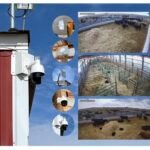

False alarms are the slow death of any security camera system. When alerts become constant background noise, they stop being investigated. When storage fills with footage of blowing leaves and passing headlights, the events that actually matter get buried or overwritten. False alarms aren’t just an annoyance — they degrade the entire value of your system over time.
📋 Table of Contents
Motion Detection Settings
Most cameras ship with default motion settings calibrated for indoor or controlled environments. Deployed outdoors, those defaults generate alerts constantly. The fix is almost always available in your NVR or camera settings:
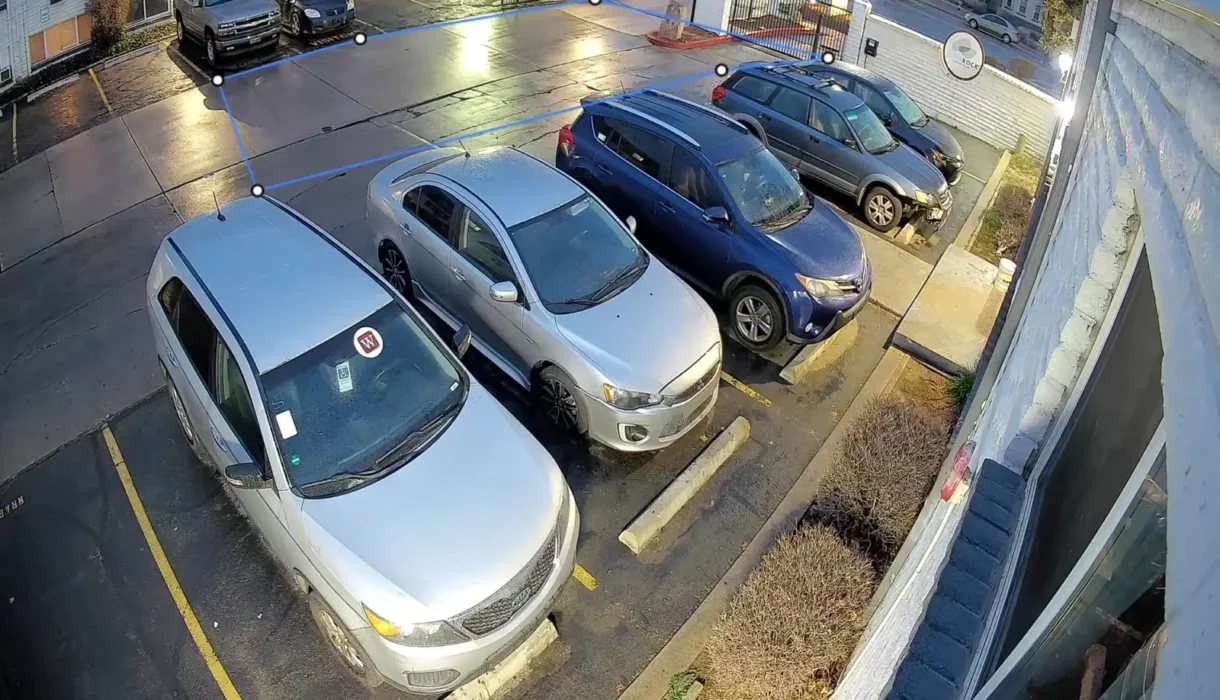
- Detection zones: Define specific areas of the frame where motion should trigger an alert. Exclude trees, sky, street traffic, and any reflective surfaces. A gate entrance camera should have an active detection zone covering the gate itself — not the entire 110° field of view.
- Sensitivity: Start at 50% and work down until alerts become manageable. Most outdoor cameras perform well at 30–60% sensitivity.
- Minimum object size: Many NVR systems allow you to filter alerts by minimum pixel size. A small bird or leaf won’t fill enough pixels to trigger an alert; a person or vehicle will.
- Schedule-based detection: If you only need alerts during certain hours, scheduled detection reduces unnecessary notifications dramatically.
Infrared Reflections at Night
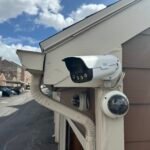
Night-time false alarms are often a hardware or positioning problem, not a settings problem. The most common cause: infrared light reflecting off nearby surfaces and creating the appearance of movement in the frame.
Common IR reflection sources: white walls within 3 feet of the camera, eaves or overhangs just above the camera, shiny or metallic surfaces in the field of view, and rain or fog.
Fixes:
- Reposition the camera slightly to reduce reflective surfaces in its immediate proximity
- Reduce IR intensity in camera settings if available
- Upgrade to cameras with better ISP-managed IR — advanced cameras reduce bounce-back programmatically
Environmental Obstructions
Spider webs: Spiders are attracted to infrared light and build webs directly in front of camera lenses. At night, the web glows bright white and moves in the slightest breeze — triggering motion events continuously. Check cameras monthly during warm weather. This is more impactful than any detection setting adjustment.
Tree branches: A tree visible in camera frame that sways in the wind is a false alarm machine. Either reposition the camera to exclude the tree from the detection zone, or narrow the detection zone to exclude the area where branches move.
Rain and fog: Heavy rain creates continuous motion events as drops cross the field of view. Most professional NVR systems have weather-detection modes or sensitivity filters specifically to suppress rain-triggered events.
Camera Placement Issues
- Camera facing traffic — Use detection zones to exclude the background, or reposition the camera to avoid the street entirely.
- Facing the sun — Cameras pointed east in the morning or west in the afternoon change exposure dramatically as the sun moves. Each change triggers a motion event. Reposition to keep the sun behind the camera.
- Too close to reflective surfaces — Light changes on any nearby shiny surface register as motion. Angle the camera to reduce or eliminate these surfaces from the frame.
Smart Detection vs. Standard Motion
Standard motion detection uses pixel-change comparison — any change in any pixel triggers an event. Wind, rain, insects, reflections, and lighting changes all create pixel changes. This is why standard motion detection generates so many false alerts outdoors.
Smart detection uses AI processing to classify what caused the pixel change. Instead of “motion detected,” you get “person detected” or “vehicle detected.” Trees, insects, rain, and IR reflections don’t classify as persons or vehicles — so they don’t trigger alerts.
The impact on false alert rates is substantial. Systems with smart detection typically see 70–90% reduction in false alerts compared to standard motion detection in equivalent outdoor environments.
When Hardware Is the Problem
If you’ve adjusted settings, cleaned the lenses, fixed placement issues, and still have excessive false alerts — the camera’s image processing may be the limiting factor. Budget cameras with basic ISP chips generate more noise in their footage. That noise changes pixel values continuously, which standard motion detection reads as constant movement.
Upgrading to ISP-capable cameras alongside a smart detection-capable NVR often solves persistent false alarm problems. Our Titanium 4MP Turret Camera paired with our 4-Channel PoE NVR or 8-Channel PoE NVR includes smart detection to reduce false alerts at the source.
Troubleshooting Checklist
- ☐ Clean all camera lenses and dome covers — IR bounce-back is the most common night alert cause
- ☐ Check for spider webs in front of lenses
- ☐ Narrow detection zones to exclude trees, traffic, sky, and reflective surfaces
- ☐ Lower motion sensitivity to 40–50% and test for 48 hours
- ☐ Set minimum object size filter if available
- ☐ Enable smart detection (person/vehicle) if available on your NVR
- ☐ Review false alert footage — identify the common pattern before adjusting further
- ☐ Consider camera repositioning if placement is the root cause
If problems persist, Roylance Consulting can evaluate your system setup and provide specific recommendations.
Frequently Asked Questions
Why does my security camera trigger alerts constantly at night?
The most common causes are IR reflection from nearby surfaces or spider webs on the lens. Start by cleaning the camera lens thoroughly and checking for webs. Then check whether any white walls, eaves, or reflective surfaces are within 3 feet of the camera.
How do I stop my camera from alerting on passing cars?
Configure the detection zone to exclude the road or street from the active detection area. Most NVR systems allow you to draw custom detection polygons — exclude the traffic area and focus the active zone on the entry point you actually care about.
What is smart detection and does it actually work?
Smart detection uses AI to classify detected objects as people, vehicles, or unclassified motion. It works well — most users see 70–90% reduction in false alerts when switching from standard motion detection to smart detection in outdoor environments.
Can rain cause false motion alerts?
Yes — heavy rain creates constant pixel changes as drops cross the camera’s field of view. Enable your NVR’s weather mode or reduce sensitivity during rain periods. Smart detection helps significantly since rain doesn’t classify as person or vehicle motion.
Will upgrading my cameras reduce false alarms?
Often yes, if you pair them with smart detection. Better ISP cameras produce cleaner footage with less background noise, which means fewer false triggers. Pairing better cameras with a smart detection-capable NVR delivers the biggest reduction in false alerts.