
Security cameras for apartments come with a unique set of constraints: lease agreements, shared walls, no drilling allowed, limited internet bandwidth, and cameras that need to move with you when you leave. This guide cuts through the noise and tells you exactly what works — whether you’re a renter trying to protect your space or a landlord securing a multi-unit property.
Can Renters Install Security Cameras?
Yes — with important caveats. In most US states, tenants have the right to install security cameras inside their own unit without landlord permission. The rules change when you look at shared spaces:
- Inside your unit: Generally fine. Don’t drill if your lease prohibits alterations — use adhesive mounts instead.
- Exterior door or window: Usually OK as long as the camera only covers your door, not a neighbor’s unit or shared hallway.
- Hallways, lobbies, parking lots: These are shared spaces. You’ll need landlord permission, and in many states this crosses into privacy law territory.
- Pointing into a neighbor’s window: Never legal. Full stop.
Always check your lease. Some landlords explicitly prohibit cameras that require drilling or that could capture other tenants. When in doubt, ask in writing — you want that answer on record.
What to Look for in an Apartment Security Camera
Apartment cameras have different priorities than whole-home systems. Here’s what matters:
- Wireless connectivity: PoE cameras are great for permanent installs, but in rentals, Wi-Fi cameras or battery-powered options are more practical. You won’t always have the ability to run Ethernet.
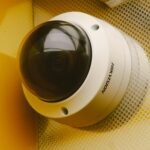
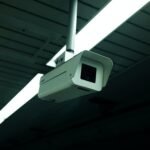
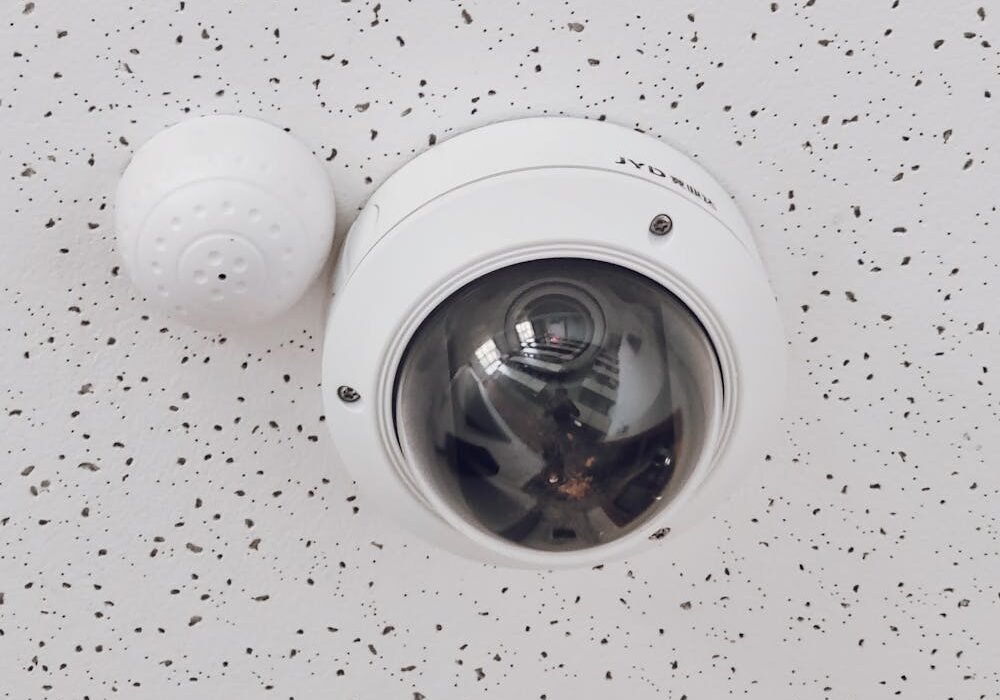
- Compact form factor: Turret and dome cameras are less conspicuous and less likely to alarm neighbors or guests.
- Local storage option: Cloud-only cameras charge ongoing subscription fees. Look for cameras with SD card slots or local NVR support so you own your footage.
- Easy removal: When you move, your camera system should come with you. Avoid permanent installs.
- Privacy masking: If your camera could potentially capture a hallway or neighbor’s door, use built-in privacy zone masking to black out those areas.
Best Camera Locations in an Apartment
With limited space and legal constraints, placement matters more in an apartment than in a standalone home. Focus on these high-value positions:
Front Door (Interior Side)
Mounting a camera just inside your front door — angled to capture anyone entering — is the single highest-value position in any apartment. It records arrivals and departures without pointing into shared space. A compact 4MP turret camera works perfectly here; the turret form factor lets you fine-tune the angle without tools.
Main Living Area
A wide-angle camera in the corner of your living room covers the most ground per camera. Position it high — 8 to 10 feet — to capture full-room coverage while minimizing the chance of it being blocked or tampered with.
Back Door or Sliding Glass Door
Ground-floor and first-floor units are significantly more vulnerable than upper floors. If you have a patio door or ground-level window, add a second camera covering that entry point.
What NOT to Do
- Don’t point cameras at windows facing neighbor units
- Don’t install in bathrooms or bedrooms shared with others without consent
- Don’t mount cameras in hallways without written landlord permission
Wired vs Wireless: What Works in Rentals
This is where apartment installs diverge from residential.
| Type | Pros | Cons | Best For |
|---|---|---|---|
| PoE Wired | Reliable, no Wi-Fi dependency, best video quality | Requires cable runs, harder to remove | Landlords doing permanent installs |
| Wi-Fi Camera | Easy install, portable, no cable runs | Wi-Fi dependent, can lag on congested networks | Renters, temporary setups |
| Battery Camera | Truly wireless, goes anywhere | Battery management, lower continuous recording quality | Renters, entry monitoring |
If you’re a landlord doing a permanent install across multiple units, PoE is the right call. A 4-channel PoE kit gives you everything needed for a clean, hardwired install in a 1-2 bedroom unit. For common areas and building exteriors, the 8-channel 4K kit covers more ground with fewer blind spots.
For renters, Wi-Fi cameras with local SD storage are the practical choice — no monthly fees, no cable runs, takes 20 minutes to set up and 5 minutes to pack when you leave.
Advice for Landlords and Property Managers
If you own or manage rental properties, a well-deployed camera system serves multiple purposes: deterring break-ins, resolving tenant disputes, and providing liability documentation. A few principles:
- Disclose cameras to tenants in writing. In most states, undisclosed cameras in rental units are illegal, even if you own the building. Put camera locations in the lease.
- Common areas only — never inside units. You can cover lobbies, parking lots, laundry rooms, and exterior doors. You cannot legally monitor inside tenant units.
- Use local storage, not cloud-only. Cloud storage creates ongoing costs and privacy questions if a breach occurs. A local NVR with a surveillance HDD keeps footage under your control.
- Retention policy: Most property managers keep 30-day footage. Beyond that, storage costs climb and you’re holding footage you likely don’t need.
Not sure how many cameras your property needs? The guide on how many security cameras you need breaks down coverage math by property type. Also worth reading: bullet vs dome vs turret cameras — the form factor decision matters more than most buyers realize.
Product Picks for Apartments and Small Rentals
For Renters: Single Camera Setup
The Titanium 4MP Turret PoE Camera paired with a small desktop NVR is a capable, relocatable setup. The turret design is compact and unobtrusive — it doesn’t look like a surveillance camera from 10 feet away, which matters in apartment settings. On Amazon, similar 4MP turret cameras in the same class are available as well — look for ones that support ONVIF for NVR compatibility.
For Landlords: Small Property Kit
The 4-channel 4MP turret kit is purpose-built for small residential properties. Everything ships together — NVR, cameras, cables. For a multi-unit building with common areas, step up to the 8-channel 4K kit, which gives you the resolution to capture license plates and facial details at building entrances.
Both kits include a PoE NVR that handles local recording without cloud fees. Add a surveillance-rated HDD and you have a complete, self-contained system.
Frequently Asked Questions
Can my landlord tell me to remove my security camera?
It depends on your lease and state law. If your lease prohibits modifications or drilling, your landlord can require damage-free installations. However, most landlords cannot prohibit cameras inside your own unit entirely — contact a tenant’s rights organization in your state if you face pushback on an interior camera.
Do I need Wi-Fi for apartment security cameras?
For wireless cameras, yes. For PoE cameras connected to a local NVR, no — the NVR records locally without internet access. You’ll need internet only if you want remote viewing via phone app.
What’s the best camera for apartment front door monitoring?
A compact 4MP turret camera mounted inside the door — angled at the entrance — is the standard approach. It gives you clear facial detail, works in low light, and covers the full doorway. The Titanium 4MP Turret is a solid option for this exact use case.
Can I install cameras in a rental property I own?
Yes, in common areas. You must disclose camera locations to tenants — typically in the lease — and you cannot install cameras inside tenant units. Lobbies, parking areas, laundry rooms, and exterior doors are fair game.
How much storage do I need for an apartment camera system?
For 1-4 cameras at 4MP with 30-day retention, 2TB is typically sufficient with H.265 compression and motion-triggered recording. Use our storage calculator to get a precise number based on your setup.
Budget WiFi Option: Wyze Cameras
If you’re renting and can’t run cables, a WiFi camera is the practical choice. Here are two we’d recommend:
- Wyze Cam (Indoor/Outdoor, IP65) — compact, weatherproof, works via WiFi. Good for front doors and patios. ~$35.
- Wyze Cam Outdoor with Spotlight — motion-activated spotlight + camera. Good for driveways and dark entry points. ~$50.
Both use the Wyze app and don’t require drilling or cable runs. Trade-off: WiFi-dependent and not compatible with NVR systems. Best for renters who need something quick and removable.
Setting up cameras in a rental? Start with our single camera option or jump straight to a complete 4-camera kit for full coverage. Need professional advice on a multi-unit property? Roylance Consulting can help you design the right system.